
Apply the Industry filter
- Open Search.
- Navigate to Filters.
- Select Industry.
You can now choose one or more industries to include in your search.
Select industries
The Industry filter is structured in grouped categories.
Most industries sit within a broader parent group. Some sub-industries may also contain further sub-levels.
If an industry has a dropdown arrow next to it, this means it contains additional sub-industries.
You can:
- Select a parent group to include all industries mapped beneath it.
- Expand a parent group to choose specific sub-industries.
- Expand sub-industries further if additional levels are available.
- Use the search bar to find an industry by name.
You can select as many industries as required.
Exclude industries from your search
You can exclude industries from your results.
- Open Filters.
- Select Industry.
- Click Advanced settings.
- Choose the industries you want to exclude.
Excluded industries will be removed from your search results.
This is useful if you want to target a broad sector but remove a specific sub-sector.
Use Industry classification codes
In addition to the standard Industry filter, you can filter using classification codes.
Cognism supports:
- SIC codes
- ISIC codes
- NAICS codes
Apply an Industry classification code filter
- Open Search.
- Click Filters.
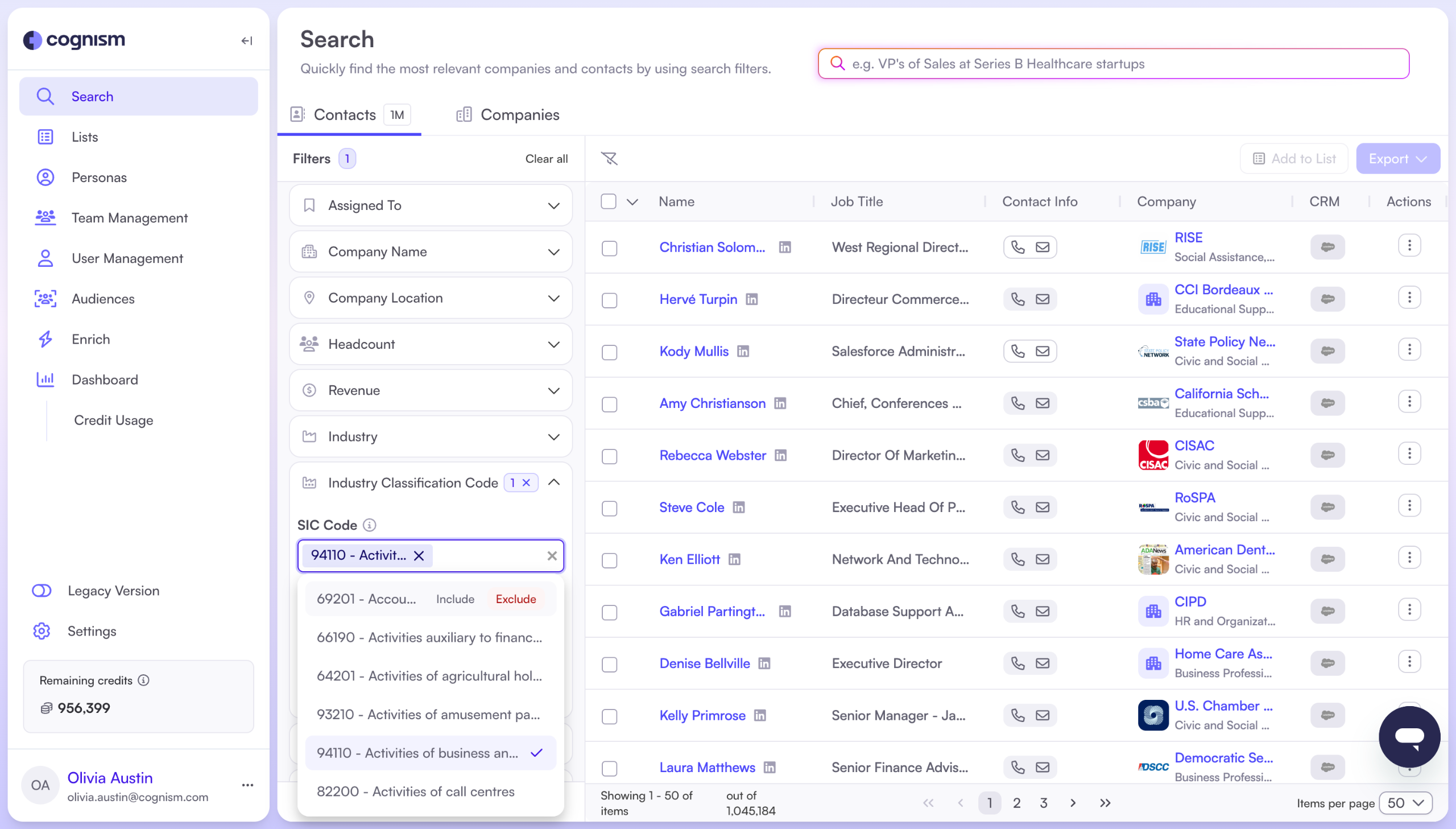
- Select Industry classification codes.
- Choose the classification type from the dropdown (SIC, ISIC or NAICS).
- Search for a code by typing in the search bar or browse the list.
- Select one or more codes.
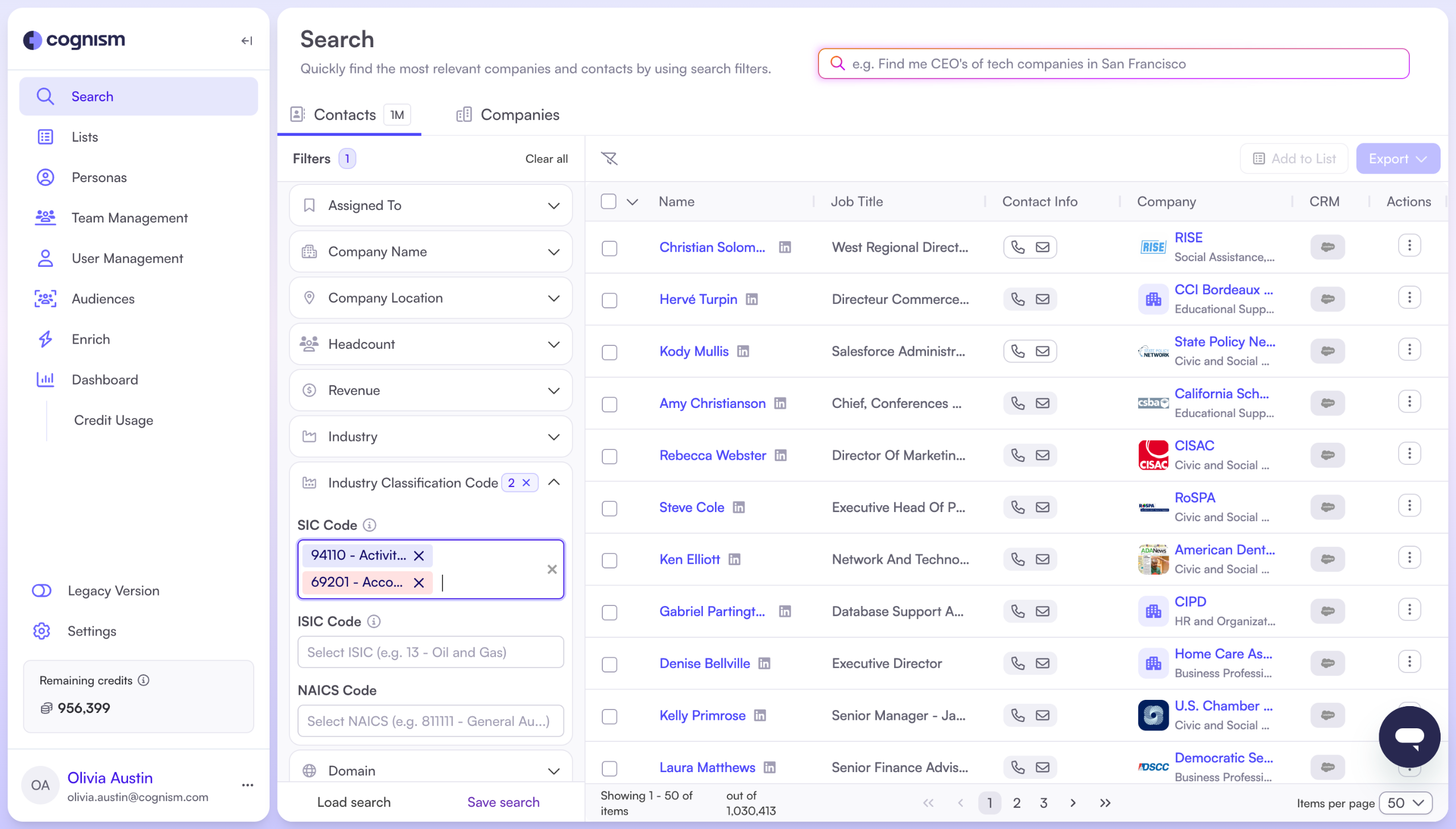
Your selected codes will be applied to the search.
Include or exclude classification codes
You can include or exclude specific codes.
Hover over a selected code to choose whether it should be included or excluded from your search.
This gives you more precise control over your targeting.
Expected result
Once applied, your search results will only include companies that match your selected industries or classification codes. Any excluded industries or codes will not appear in your results.